
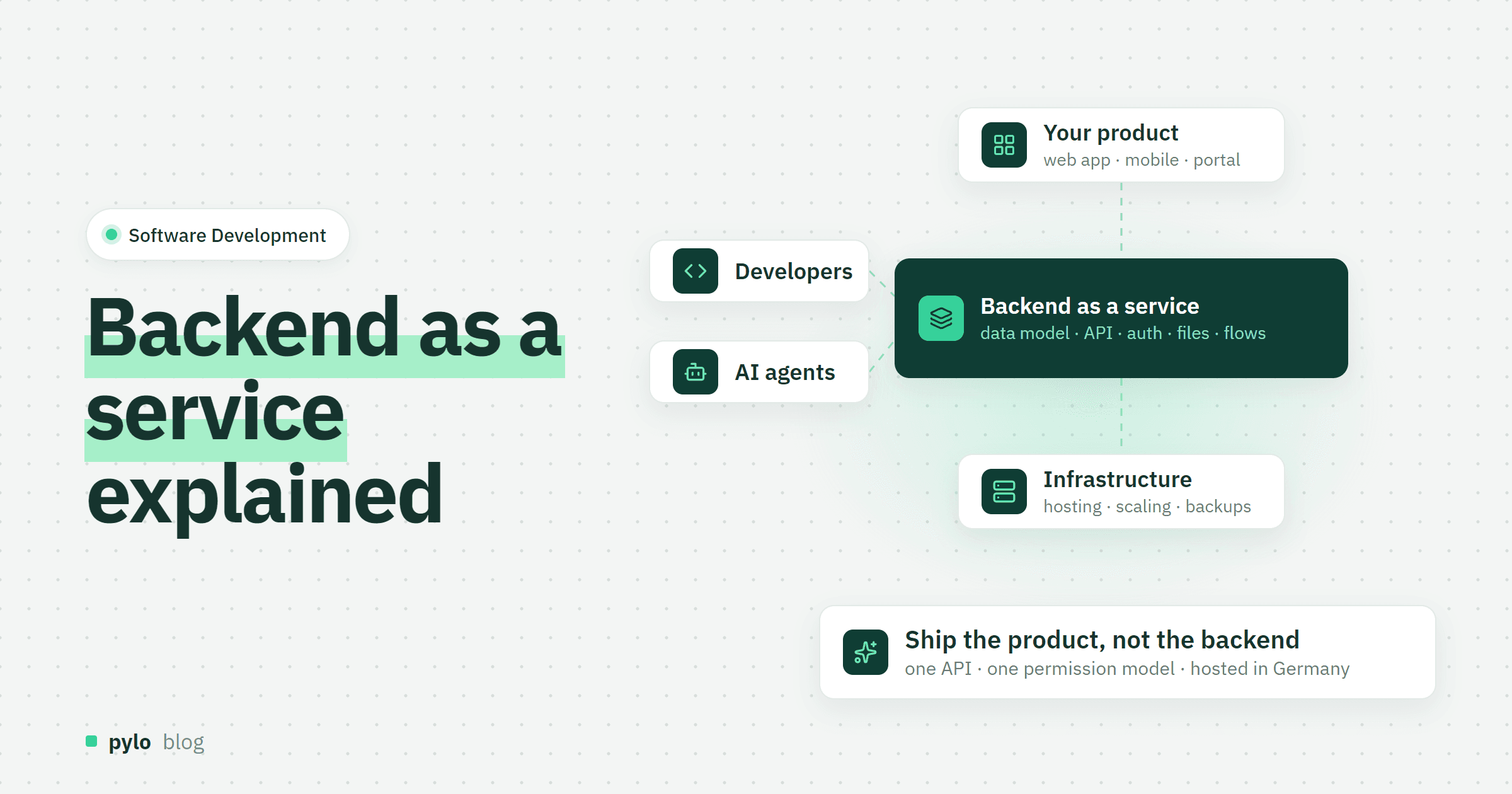
Every app has two halves: the part people see, and the part that stores data, checks who may do what and talks to other systems. Backend as a service, or BaaS, means renting that second half as a hosted platform instead of building and running it yourself. This post explains what a BaaS includes, how it differs from PaaS and SaaS, where it fits, what it costs and how to choose a provider.
What is backend as a service?
A backend as a service is a hosted platform that provides the server side of an application as a managed product: a database, an API to read and write it, user login, permissions, file storage and usually some form of automation. You define your data model and build the frontend or the integration on top. The provider runs the servers, the scaling, the backups and the security patches.
Typical traits of a BaaS:
You model data instead of writing bare database code
The API is generated from that model, as REST or GraphQL, with SDKs for common frameworks
Authentication and access rules are part of the platform
Billing can be usage- or seat-beased based: often billed per requests, users, records, storage or compute
Hosting, scaling and backups are included
You will also see the term mBaaS, mobile backend as a service. The first products in this category, Parse and Firebase among them, were built with a strong focus on mobile apps. Today a BaaS is just as common behind web apps, internal tools, customer portals and AI agents.
How does a BaaS work?
A request runs through the same steps on every platform, even when the pieces have different names:
Your frontend, a script or an AI agent calls the API through an SDK or plain HTTP.
The platform checks the session or API key and applies the permission rules.
The query runs against the database and the result comes back typed, so your code knows which fields to expect.
A change can trigger something else: a webhook, a function, a workflow or an entry in an event log.
The part that saves the most time is the generated API. When you add a field to a data model, the API and the SDK types change with it. There is no endpoint to write, no migration to run and no server to redeploy.
BaaS vs PaaS vs SaaS vs IaaS
The four terms describe how much of the stack you rent. A PaaS runs the backend you wrote. A BaaS is the backend.
Model | What you get | What you still build and run | Examples |
IaaS | Virtual machines, storage, networking | Everything above the operating system: database, runtime, backend code, scaling | AWS EC2, Hetzner Cloud |
PaaS | A runtime that deploys and runs your code | The backend code itself, the data model, auth | Heroku, Vercel, Railway |
BaaS | A ready backend: database, API, auth, files, logic | The frontend and your specific business rules | Firebase, Supabase, pylo |
SaaS | A finished application | Nothing, you configure it | A CRM, an accounting tool |
Our guides on platform as a service and what SaaS is cover the neighbours in more detail.
What a backend as a service includes
Products differ in detail, but most cover these building blocks:
Data model and database. Document stores such as Firebase hold JSON documents, where Supabase and Neon give you Postgres and pylo works with entities, fields and relations that you define in an admin panel or through the API.
Generated API. REST, GraphQL or both, with typed SDKs for Next.js, React, Node or mobile frameworks.
Authentication and permissions. Email and password, social login, SSO and API keys. The depth varies a lot: some platforms stop at roles, others let you write rules per row, record or field.
File storage. Uploads with public or private links, usually in object storage.
Business logic. Serverless functions, database triggers, scheduled jobs or a visual workflow engine.
Webhooks and events. A way to tell other systems that something changed. Our webhook guide explains how that works.
Admin interface. A place where people without a developer background look at and edit the data. Developer-first platforms keep this minimal. Business-first platforms treat it as a core feature.
Backend as a service examples
Firebase from Google: document database, auth, hosting and functions, billed pay as you go. The default choice behind many mobile apps.
Supabase: Postgres with generated REST and GraphQL APIs, auth, storage and edge functions. Open source and self-hostable.
Appwrite and PocketBase: open-source backends you can run on your own server. Appwrite also runs as a cloud service.
AWS Amplify: a backend layer over AWS services for teams that already live in AWS.
Xano: a no-code backend with a visual API builder.
pylo: entities with relations, a typed GraphQL API, record-level permissions, flows, forms, an admin UI, an event log and an MCP server, hosted in Germany.
We compare our own BaaS pylo with each of these on our comparison pages, including where the other product is the better choice.
Advantages of backend as a service
Speed. A data model, an API and login exist on day one. Teams ship a first version in days, not months.
No infrastructure to run. Nobody on your team patches servers, rotates backups or sizes databases.
Security defaults. Auth, encryption and permission checks come from a platform that does them for hundreds of customers, not from a weekend project.
Scaling is the provider's problem. Traffic spikes change the bill, not the architecture.
Smaller teams can build real software. A frontend developer, an agency or a technical operations person can ship a working product without a backend specialist.
Disadvantages and risks
Lock-in. Your data model, auth and logic follow the platform's conventions. Check how you export data, logic and schema before you start.
Less control. You cannot tune the database engine or install arbitrary extensions.
Meters you do not control. Per-request or per-user billing can surprise you when usage grows in a way the pricing model punishes.
Data location. Many providers host in the US by default. EU hosting is often an enterprise add-on.
Logic limits. Platforms that only offer functions make complex, long-running processes awkward.
When to use a BaaS, and when not
A BaaS is a good fit when:
You are building a new product, portal or internal tool and want to spend your time on the part users see
Your team has frontend or integration skills but no one who wants to own a backend
Several systems, people and agents need the same data through one API with one set of permissions
You are an agency that builds similar backends for every client
Build or host your own backend when:
You need specific database features, extensions or tuning that a platform does not expose
Your policies require self-hosting or an air-gapped environment
Your core product is the backend technology itself
The general trade-offs are covered in our guide on build vs buy software.
What does backend as a service cost?
Every provider has a free tier and then meters something different. Firebase bills per read, write and stored gigabyte. Supabase Pro starts at $25 per month plus compute and bills monthly active users above the included amount. pylo starts at €0 with 5,000 records and 500 flow actions, then €49 per workspace and month for 100,000 records and 5,000 flow actions, with unlimited users and API requests on every plan.
The meter matters more than the headline price: a portal with thousands of logged-in customers is cheap on a per-record model and expensive on a per-user model, and an app with few users and heavy traffic is the other way round. Model your expected usage against the meters before you compare prices.
How to choose a BaaS provider
Data model fit. Relational data with many links between records needs relations and joins, not documents.
API type. GraphQL suits frontends that need nested data in one call. REST suits simple integrations. Typed SDKs save the most time either way.
Permission depth. Can you restrict access per record and per field, and do the same rules apply to every way in: API, admin UI, forms and AI?
Who else works with the data. If operations, sales or clients need to see and edit records, an admin UI and forms are not optional.
Automation. Functions, triggers, schedules, webhooks or a visual flow engine. Check retries, logs and rate limits.
Data residency and compliance. Where is the data, where are the backups, is a data processing agreement part of the terms?
Export and exit. CSV, JSON, API access to everything, and ownership of the generated code.
Pricing meters. Per user, per request, per record, per compute hour. Pick the one that matches how your product grows.
Migration path. Import tools with field mapping and dry runs make the move from spreadsheets or an old database much shorter.
Conclusion
Backend as a service removes the part of software that is the same in every project: database, API, login, files and hosting. What remains is the part that is specific to your business: the data model, the rules and the interface. For most new products, portals and internal tools, that trade is worth it. The exceptions are teams that need deep database control or must host everything themselves.
If you want a BaaS built for the whole company rather than only for developers, pylo gives you entities with relations, a typed GraphQL API, record-level permissions, flows, forms and an admin UI your operations team can use, with data hosted in Germany. See how it compares as a Supabase alternative or a Firebase alternative, and the pricing page shows what it costs to start.
Keep reading
Software Development
How to build your own CRM: data model, workflows and costs
Off-the-shelf CRMs fit a generic funnel. If your sales process is tied to orders, invoices or production, building your own CRM can fit better. Here is the data model, the workflows, the build options and what it really costs.
Read
Software Development
Continuous delivery: definition, best practices and tools
What is continuous delivery, and why does it matter for modern software development?
Read